At many of the events I cover, including conferences, sports races, and weddings, one of the biggest challenges is helping people find their photos afterward.
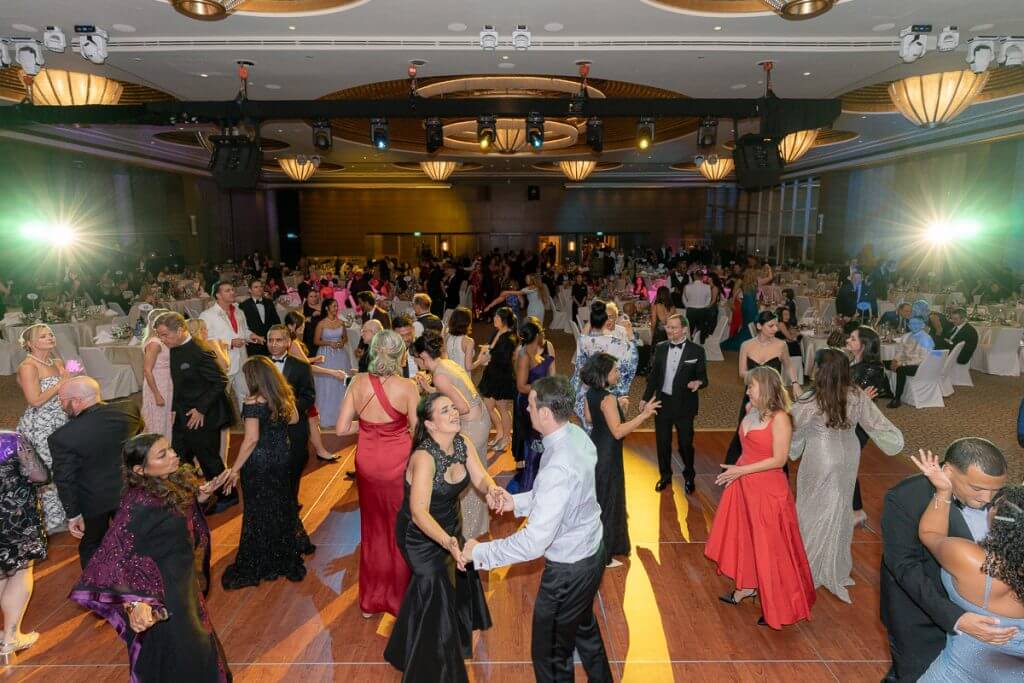
At large events, galleries can easily contain thousands or even tens of thousands of images. A marathon might generate 20,000 photos or more. A busy conference can produce several thousand images in a single day. When galleries reach that scale, browsing becomes unrealistic. People rarely want to scroll through that many photos just to find the few they appear in.
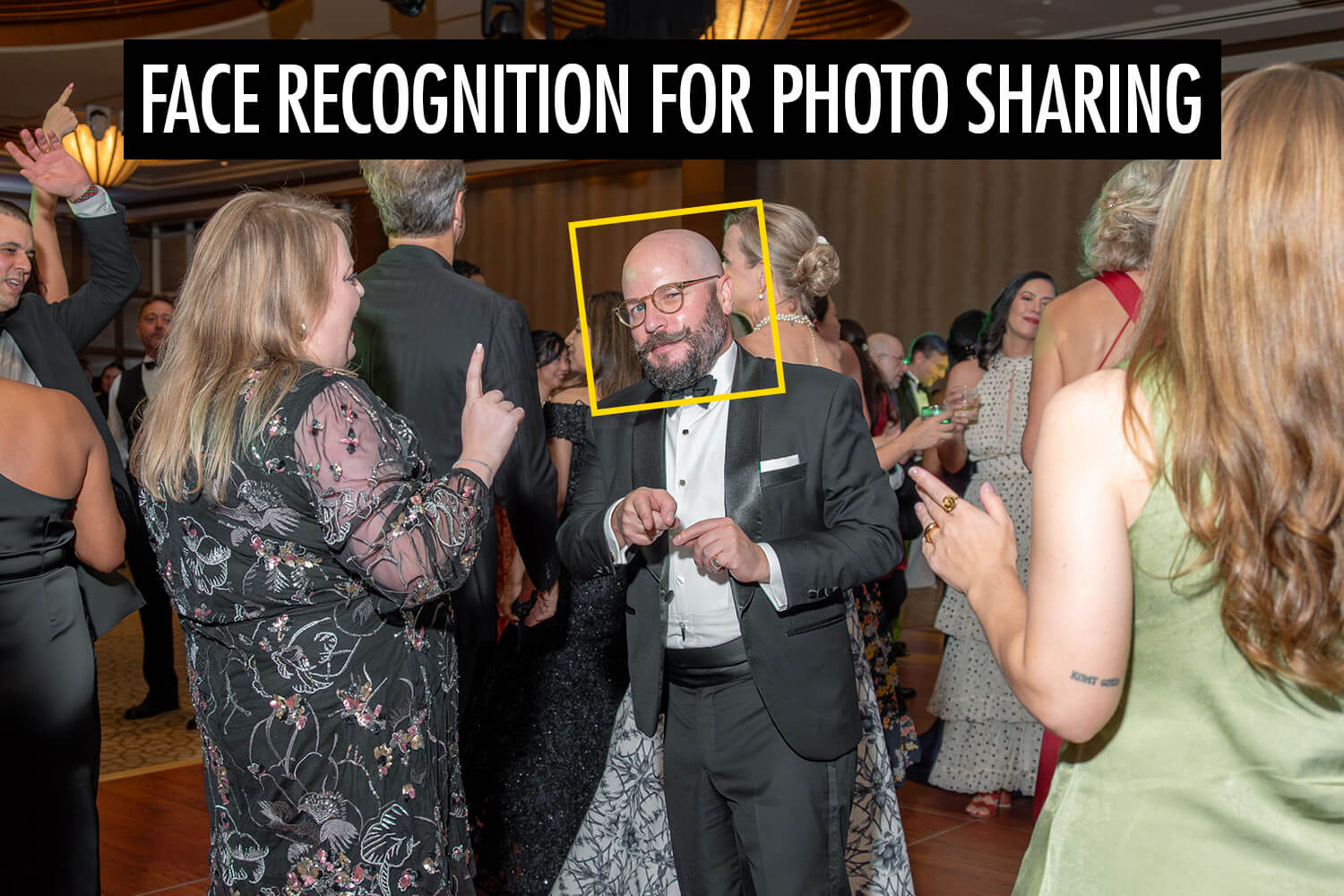
Face recognition changes how photo sharing works in these situations and has become an important part of modern event photography workflows. Instead of searching through the full gallery, participants can upload a selfie and the system uses AI to match their face with the event photos. They are then shown only the images that contain them, which makes the process significantly faster and easier.
In this article, I’ll break down how AI photo sharing works in real event environments, when it makes sense to use it, how accurate it can be under different conditions, and how platforms handle privacy and facial data.
What Is Face Recognition in Photo Sharing?
Face recognition in photo sharing is a way for people to quickly find the photos they appear in. Instead of scrolling through an entire gallery, a guest can upload a selfie and the system looks for matching faces in the photos, which dramatically improves the event photo sharing experience.
The software uses AI to detect faces in each image and compare them to the selfie provided by the guest. When it finds photos with similar facial features, those images are shown as results.
This approach is different from traditional photo sharing methods. In a normal gallery, everyone sees the same collection of photos and has to search through them manually.
AI photo sharing with face recognition automates this process. The system identifies faces in the photos and helps each person locate their own images without needing to browse through the entire gallery.
Face Recognition vs Manual Tagging
Before face recognition became common, the main way to help people find their photos was manual tagging. This meant photographers or event organizers had to go through the gallery and tag individuals in each image.
For small galleries this can work, but it quickly becomes difficult when the number of photos grows. Tagging hundreds or thousands of images takes a lot of time, and it’s easy to miss people in crowded scenes.
Face recognition automates that process. Instead of manually identifying people in each photo, the system detects faces automatically and compares them to the selfie uploaded by the guest.
How Face Recognition Works

Guest Experience
From a guest’s perspective, face recognition photo sharing is a straightforward process. Instead of searching through a gallery, they can find their photos in a few simple steps.
In most event galleries, the process looks like this:
- The guest scans a QR code provided at the event.
- The gallery opens on their phone.
- The guest uploads a selfie.
- The system searches the event photos for matching faces.
- The matching photos appear within seconds.
Instead of browsing through the entire gallery, guests see only the photos that include them. This makes it much faster to locate their images, even at large events with thousands of photos.
Technical Overview
Behind the scenes, face recognition works by analyzing faces in each photo and comparing them to the selfie uploaded by the guest.
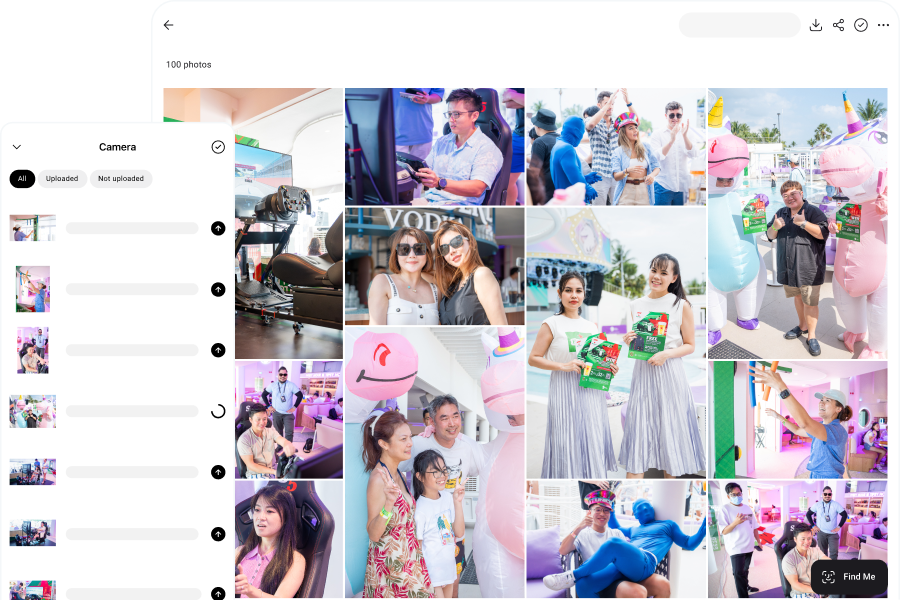
First, the AI photo sharing app detects faces in every image. It identifies where each face appears in the photo so it can be analyzed individually. This usually happens automatically as photos are uploaded to the gallery. In some workflows, photos can be uploaded directly with Camera to Cloud, which allows the system to start detecting faces almost immediately.
Next, the system analyzes each face and converts it into a mathematical representation, often called a face vector (or face embedding). This representation captures key facial features in a form that the system can compare.
When a guest uploads a selfie, the system compares that face vector with the stored vectors from the event photos. It looks for faces that are similar enough to be considered the same person.
Finally, a similarity threshold determines what counts as a match. If the similarity score is high enough, the photo is included in the guest’s results. This helps reduce incorrect matches while keeping the process fast.
Benefits of Using Face Recognition for Photo Sharing
Faster Photo Distribution
At large events I cover, the biggest challenge is often not taking the photos but distributing them efficiently.
When galleries contain hundreds or thousands of images, guests often struggle to locate the photos they appear in. I’ve seen organizers spend hours manually searching through galleries to find photos for specific people, especially VIPs.
Face recognition removes that hassle. Once the photos are uploaded, guests can immediately find the images they appear in without needing help.
Better Guest Experience
Finding photos quickly has a big impact on how guests experience the service.
At events I cover, the reaction is usually immediate when people can locate their photos within seconds. They’re much more likely to download and share them right away, often while the event is still happening when excitement and engagement are highest.
When combined with real-time delivery workflows, guests can sometimes find their photos just minutes after they’re taken.
Increased Photo Sales
In high-volume environments such as sports events and marathons, distribution plays a major role in sales.
If participants struggle to locate their photos, many will simply give up before finding them. Even strong images will not convert if they are difficult to access.
Face recognition improves discoverability. When participants immediately see their own photos, the path from viewing to purchasing becomes much shorter. Reducing friction at this stage can significantly improve conversion rates.
Privacy-Friendly Delivery
Traditional galleries allow anyone with the link to view every photo from an event. In some situations this is acceptable, but in corporate events, public roadshows, or school environments it can raise concerns.
Face recognition changes how photos are shared. Each guest sees only the photos that include them, instead of the entire gallery. This means other people’s photos are not unnecessarily visible.
For organizers who care about privacy and controlled access, this provides a safer way to share event photos.
Best Use Cases for Face Recognition in Event Photography

Face recognition is most useful when there are a lot of photos and people mainly want to find images of themselves quickly. In those situations, it removes the need to browse through large galleries and makes photo distribution much easier to manage.
Some of the most common use cases include:
- Headshot booths: At conferences and brand activations, headshot booths can produce hundreds of portraits in a short time. Many photographers run these setups using tethered photography, where the camera is connected directly to a computer so images appear instantly. AI face recognition then lets participants access their own portrait without slowing down the booth or creating long queues.
- Weddings: During weddings, guests often want to see and share photos while the celebration is still happening. Face recognition makes it easier for them to discover the moments they appear in during the event.
- Sports events and marathons: Races can generate thousands of photos. Participants often start looking for their photos soon after finishing, and easy discovery can significantly improve photo sales.
- Corporate events and conferences: At large corporate events, organizers often receive requests from attendees asking where their photos are. This is especially common in roaming photography, where photographers move around the venue capturing portraits and group shots. Face recognition turns this into a self-service process and reduces the need for manual support.
- School or graduation photography: In school events, both distribution and privacy are important. Face recognition allows students or parents to access relevant photos without browsing through images of other attendees.
How Accurate Is Face Recognition?
AI face recognition works really well, but it’s not perfect. In ideal conditions, the accuracy can be very strong. At real events, though, it depends a lot on how the photos are taken.
From what I’ve seen while shooting on-site, things like lighting and visibility make a big difference. The system works best when faces are clearly visible, well lit, and facing the camera. When those conditions change, the results can vary.
Lighting Conditions
Good lighting makes it easier for the system to see facial details clearly. In low-light venues or night events, faces can be harder to detect, which may reduce accuracy.
Face Angle, Visibility, and Size
Face recognition works best when the person is facing the camera or close to it. Side profiles or turned faces can make matching more difficult. In crowded environments, faces may also be partially blocked by other people, which can make accurate matching harder.
The size of the face in the photo also matters. If someone appears very small in the frame, the system has less detail to work with. This often happens in wide shots where people are far from the camera, such as in races or large crowd scenes. When faces are very small, matching can become less reliable compared to photos where the subject is closer to the camera.
Glasses, Masks, and Hats
Accessories that cover parts of the face can affect the results. Regular glasses usually aren’t a big problem, but large novelty glasses, masks, or wide-brim hats can hide important facial features the system relies on.
Motion Blur
At fast-moving events like sports or busy dance floors, motion blur can soften facial details. The clearer the photo, the easier it is for the app to make a reliable match.
Overall, how well face recognition works depends a lot on the shooting conditions. In controlled setups like headshot booths, accuracy is usually very high. In darker venues, crowded scenes, or fast-moving environments, results can vary.
Why Accuracy Differs Across Platforms
Not all face recognition apps work the same way. How accurate they are depends a lot on how the platform is built.
One big factor is the AI model behind the system. Different providers use different models, and they’re trained in different ways. Some are designed to prioritize speed, while others focus more on accuracy. These choices affect how reliably faces are detected and matched in real event photos.
Another factor is how strict the system is when deciding if two faces are a match. Some platforms return more results but risk including incorrect photos. Others are stricter and only show very confident matches, which can sometimes leave out photos that actually belong to the person. Each platform balances this differently depending on how it’s meant to be used.
In large events with thousands of photos, these design choices can make a difference in how reliable the results feel.
Real-World Face Recognition Performance at Events
At real events, photos are rarely perfect. Lighting changes, people move around, and faces are sometimes partly blocked by others. Situations like these are where you really see how well a face recognition system works.
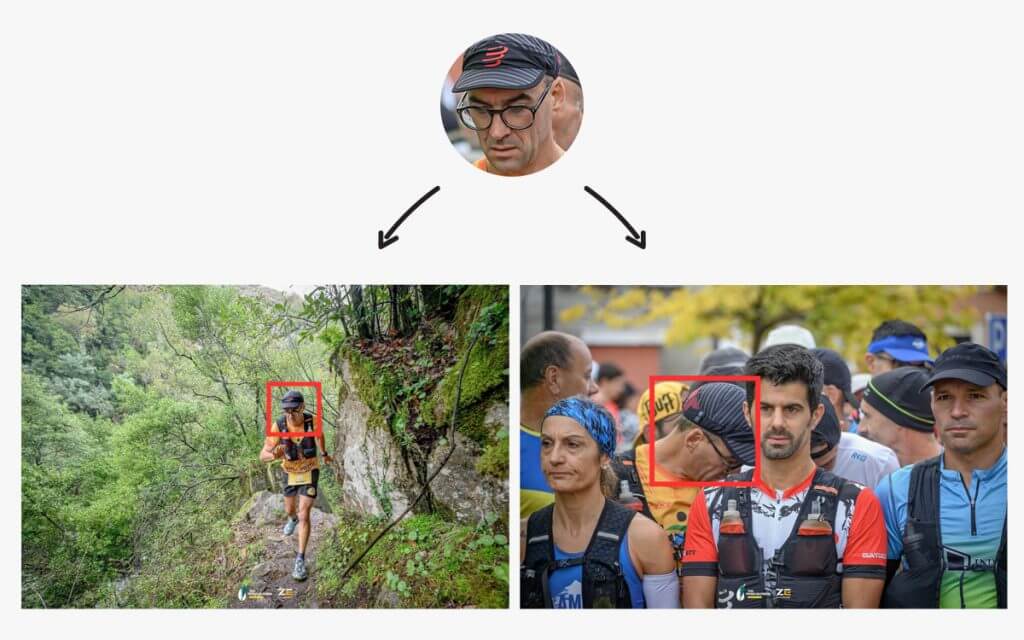
From what I’ve seen while using Honcho’s face recognition for photo sharing at running events, the app stayed reliable even in tougher conditions. In one example, it matched a runner’s selfie to photos where the person appeared in the background, slightly out of focus, and partly cropped in the frame.
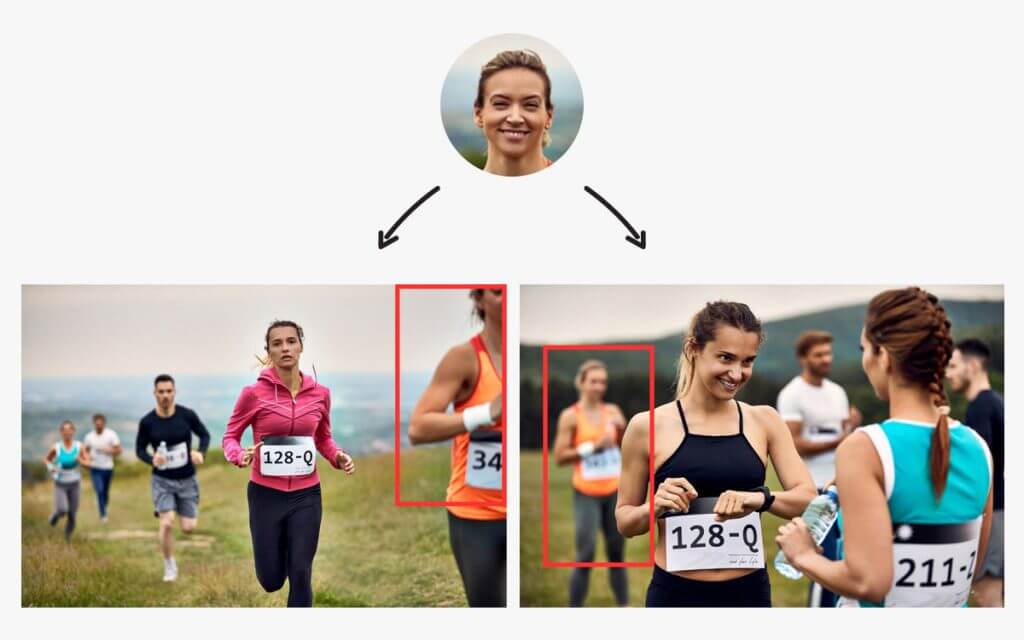
At another trail run, it matched photos where the runner’s face was turned to the side and partly blocked by another participant at the starting line.
I saw similar results at weddings as well. In one case, the system identified a guest even though her face was partly hidden behind floral decorations and other guests in the scene.
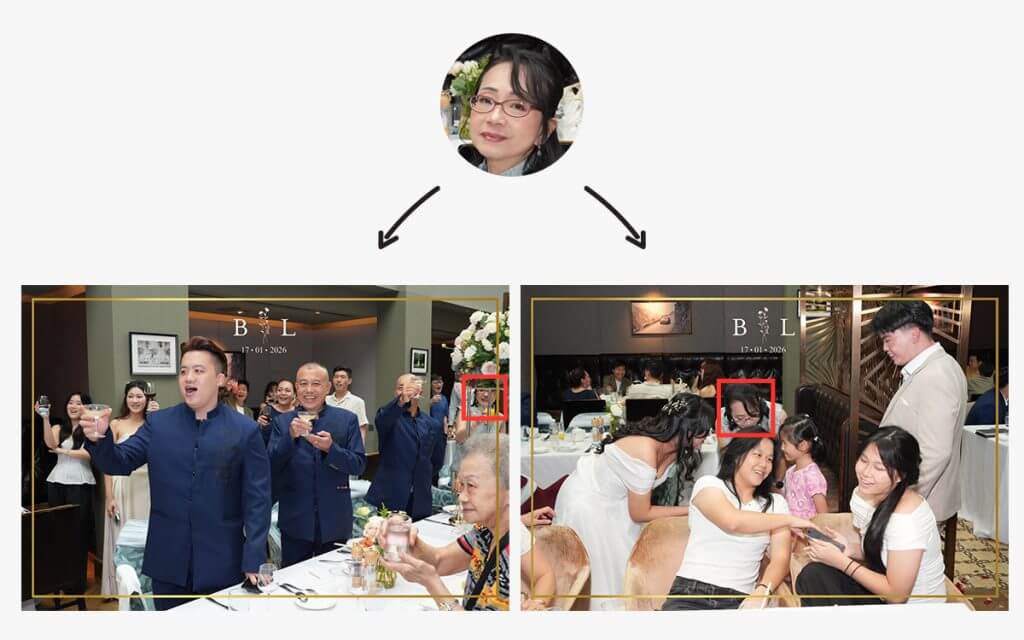
Examples like these show how AI face recognition apps are tested in real event conditions. No system is perfect, but things like how the models are trained and how strict the matching rules are can make a big difference in how reliable the results feel during live events.
Privacy Concerns and Data Handling
Privacy is usually one of the first questions that comes up when face recognition is used at events. From my experience, especially with corporate clients and large public events, people often want to know what happens to their selfie, whether any facial data is stored, and how long that data stays in the system.
To understand that, it helps to know how face recognition works behind the scenes. Instead of storing the actual face image for matching, the system converts each face into a mathematical representation called a face vector. This vector captures certain facial features in numbers so the system can compare faces.
It’s important to know that a face vector isn’t an image. The system cannot reconstruct someone’s face from a face vector. It simply represents facial features in a numerical format that allows the system to compare one face with another.
With Honcho, the policy is straightforward. When a guest uploads a selfie, it’s used for matching but is not stored on Honcho’s servers. The selfie stays on the user’s device. Honcho’s AI models are also pre-trained, which means selfies and event photos are not used to train or improve the system.
To make searching work while an album is active, the app temporarily stores face vectors generated from the event photos. These vectors are anonymized and not linked to names, contact details, or other personal information. They simply allow the system to compare a guest’s selfie with the faces detected in the gallery.
When the album is removed, the related face vectors are deleted as well. This means the facial data only exists for as long as the event gallery itself is active.
When Face Recognition May Not Be Necessary
Face recognition isn’t necessary for every assignment. I usually recommend it when there are a lot of photos and people mainly want to find their own images quickly. In smaller settings, it may not add much value.
For small private shoots with a limited number of guests, a normal gallery is usually enough. When there aren’t that many photos, people can easily scroll through and find what they’re looking for.
The same goes for editorial or artistic projects. In those cases, the goal is often to tell a story or present a curated set of images, rather than helping individuals find photos of themselves.
There are also situations where organizers prefer not to use face recognition at all, especially in environments with strict privacy requirements. Even if the system is anonymized, some clients would rather keep the workflow simple.
Conclusion
Face recognition makes the biggest difference when photo volume becomes hard to manage. At large events like conferences, races, weddings, and corporate activations, helping people quickly find their own photos makes distribution much easier. It reduces friction, improves the guest experience, and simplifies the workflow for photographers and organizers.
That said, it’s not necessary for every situation. Smaller shoots, curated projects, or low-volume galleries often work perfectly well with a traditional gallery. Like most tools, face recognition works best when it’s used to solve a clear problem.
From what I’ve seen at real events, when it’s implemented thoughtfully and with privacy in mind, face recognition can make photo sharing a much smoother process.
As events continue to produce larger photo galleries, tools that help people quickly find their own images will only become more important. Face recognition is one of the most effective ways to solve that problem.
Frequently Asked Questions
It can, but it’s usually not necessary. Face recognition is most helpful when there are hundreds or thousands of photos. At smaller events with fewer images, guests can usually find their photos quickly just by browsing the gallery.
It works best at large events where many photos are taken and guests mainly want to find images of themselves. Common examples include conferences, headshot booths, sports races, corporate events, and large weddings.
Accuracy depends a lot on how the photos are taken. Clear lighting, visible faces, and front-facing angles usually produce the best results. In real event environments, things like motion blur, crowded scenes, or partially blocked faces can affect performance.
Guests usually scan a QR code at the event, open the gallery on their phone, and upload a selfie. The system compares the selfie with faces detected in the event photos and shows the images that match.
Instead of storing someone’s face as an image, the system converts faces into numerical data called face vectors. These vectors are used only for matching and are not linked to names, contact details, or other personal information.
Yes, it often can. Modern face recognition systems are designed to detect faces even when they appear small in the frame or are not the main subject of the photo. However, accuracy can vary depending on lighting, visibility, and how clearly the face appears in the image.