At most of the events I photograph, such as conferences, corporate functions, weddings, or sports races, I end up capturing hundreds or even thousands of photos throughout the day. After the event, guests usually want to see the photos they appear in so they can download them or share them on social media.
Over the years, I’ve experimented with different ways of sharing event photos with guests as part of how I approach event photography overall. Some methods are simple and work well for smaller events, while others are designed to handle large galleries with thousands of images.
In this guide, I’ll walk through the most common ways photographers share event photos with guests, how attendees access the gallery, and how they find their photos.
The Challenge of Sharing Event Photos
It’s common for guests to approach me or the event organizer during the event to ask where they can find their photos. At larger events, this can turn into multiple requests from attendees trying to track down their images.
The challenge is figuring out how to get those photos to everyone. Sending files manually to each guest is not practical, especially when there are hundreds of attendees.
Uploading everything to a single online gallery makes distribution easier, but it introduces other issues. Guests may still need to scroll through many photos just to find the few images they are in.
There can also be privacy concerns. When a gallery link is shared with all attendees, everyone can see everyone else’s photos. Personal photos, sometimes private or unflattering ones, may end up visible to complete strangers.
Some platforms offer password-protected galleries, but the password is often shared with hundreds of people attending the event. This still means guests have access to photos that are not relevant to them.
Online Photo Galleries: The Foundation of Event Photo Sharing
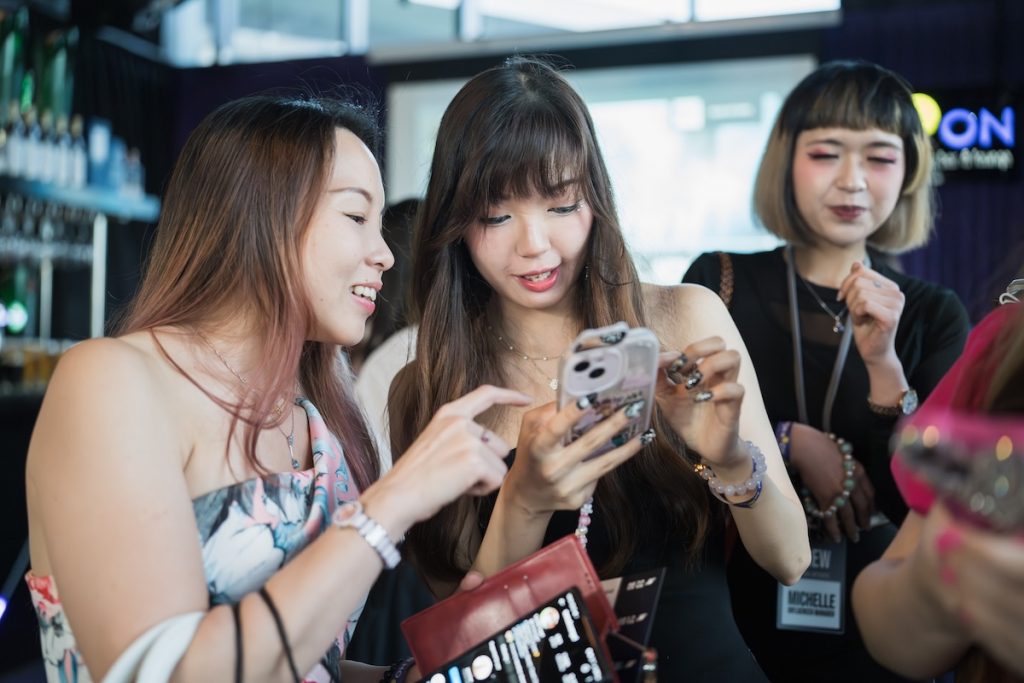
To deal with the problem of distributing large numbers of event photos, I usually rely on an online gallery.
Instead of sending images individually to each guest, I upload all the photos to a single gallery that everyone can access. Some photographers use cloud storage services like Google Photos or Dropbox for this. However, platforms designed for photographers, such as Pixieset, Pic-Time, or Honcho, provide a better viewing experience and more control over downloads. Sharing a single gallery link makes things much easier, especially when an event produces many images.
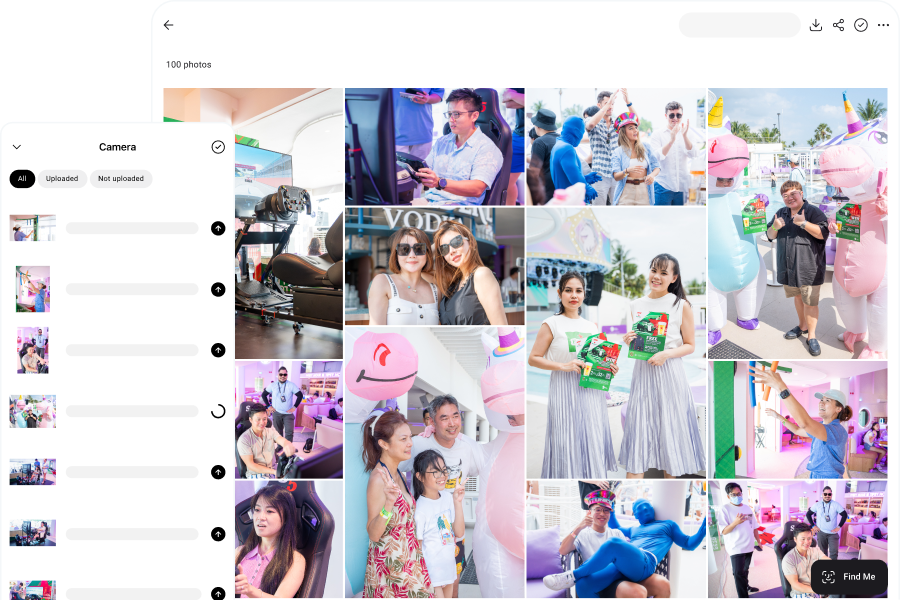
Sometimes I upload photos after the event once editing is complete. In other setups, images can be uploaded during the event itself. If you’re curious how this works, I’ve written a separate guide on real-time photo delivery at events.
How Guests Access the Event Photo Gallery
Once photos are hosted in a gallery, guests need a simple way to access it. Photographers and event organizers usually share the gallery link through a few common methods so attendees know exactly where to go.
QR Code Access
Guests can access the gallery by scanning a QR code that links directly to it. These codes are usually displayed on signage, presentation screens, or printed materials around the venue so attendees can easily spot them during the event.
For example, at one wedding I photographed, I printed an A3 poster with a QR code and a short message that said “Get your photos here” and placed it at the entrance so guests could scan it as they arrived.
QR codes are especially useful when photos are uploaded during the event. As new images appear in the gallery, guests can revisit the link throughout the day to see updated photos.
Email or SMS Delivery
Another way to share the gallery is through email or SMS. Guests receive a link that they can open later to browse and download their photos.
At some conferences, attendees provide their email addresses during event registration, allowing organizers to send the gallery link once the photos are uploaded.
This approach works well for events where attendee contact details are already being collected, but it does require gathering that information in advance. In some cases, the gallery link may also be shared through event apps, social media, or post-event emails from the organizers.
How Guests Find Their Photos in the Gallery
After accessing the gallery, guests still need to find the photos they appear in. Depending on the size of the event and the platform used by the photographer, this usually happens in one of two ways: browsing the gallery manually or using face recognition to locate images more quickly.
Browsing the Gallery
Guests scroll through the images and look for photos that include them. At smaller events or galleries with fewer images, this process is straightforward.
However, it becomes more difficult as the number of photos increases. Large conferences, weddings, and sports races can produce thousands of images, which means guests may need to scroll through a large portion of the gallery before finding the few photos they are in.
Because of this, some guests may stop searching before they reach their photos.
Face Recognition Photo Search
Some event galleries use face recognition to help guests find their photos more easily. Guests upload a selfie and the system scans the gallery for matching faces. Once the scan is complete, they are shown only the images where they appear.
This makes it much faster to locate images, especially at large events where manually browsing thousands of photos would be time-consuming. In my own workflow, I use Honcho for this so guests can quickly find their photos without scrolling through the entire gallery.
Honcho includes a privacy feature that blurs the rest of the gallery. Guests only see the photos that contain them, which helps solve the privacy issue mentioned earlier where a shared gallery might otherwise expose everyone’s photos to all attendees.
Guests can also opt in to email or SMS notifications when new photos of them are found, so they can return later and view additional images as they are uploaded.
Instant Photo Printing at Events

Another way guests receive their photos is through instant photo printing. Instead of accessing images through an online gallery, photos are printed at the event and handed directly to guests.
In this setup, photographers capture images and send them to a printer at the venue, allowing guests to receive their prints within minutes. This approach is commonly used at weddings, parties, and promotional events where providing a physical photo is part of the experience.
One advantage of instant printing is that guests leave the event with a physical keepsake. However, prints do not always replace digital sharing, since guests may still want digital copies to share online or keep later. Because of this, many events combine instant printing with digital galleries.
Choosing the Right Event Photo Sharing Approach
For smaller events, a simple online gallery is often sufficient. At small gatherings, private parties, or workshops with a limited number of attendees, the total number of photos is manageable and guests can browse the gallery to find their images.
For larger events that produce thousands of photos, additional tools make photo access much easier. Conferences, marathons, charity runs, and large corporate conventions can generate thousands of images. In these cases, photographers may combine an online gallery with QR codes and face recognition search. QR codes make it easy for attendees to access the gallery, while face recognition helps them quickly find their photos while protecting everyone’s privacy.
Some events place a stronger emphasis on guest engagement, where photography becomes part of the experience. Examples include brand activations, promotional roadshows, and award nights. In these situations, faster photography workflows such as real-time photo sharing, instant photo printing, and live slideshows can increase event engagement.