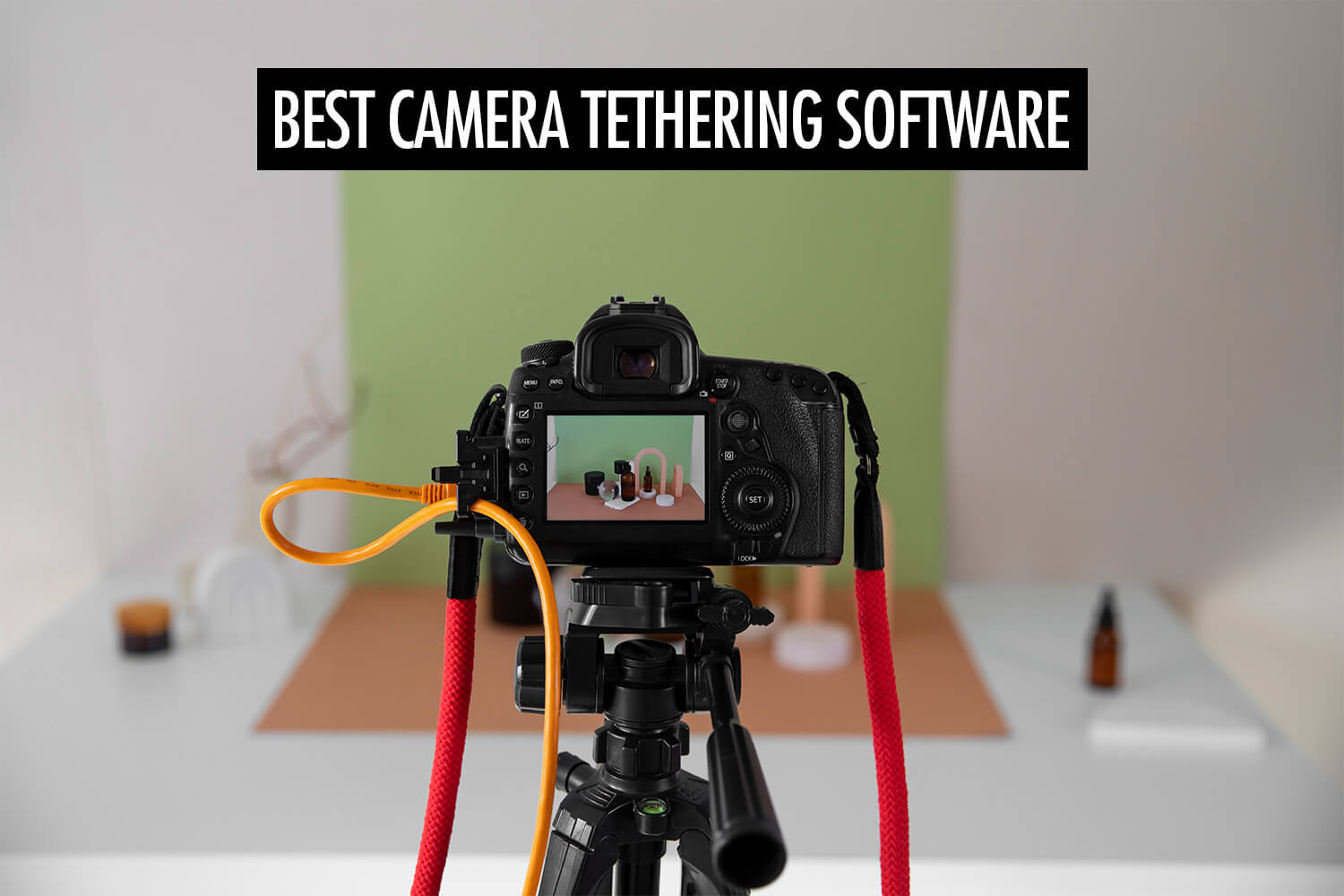
I’ve used a mix of different tethering setups over the years, depending on what I’m shooting. Sometimes I need a fast, stable connection for studio work. Other times I care more about getting photos into people’s hands as quickly as possible.
The thing is, not all tethering software solves the same problem. Some are built for on-set review, while others focus on remote camera control or instant delivery.
In this article, I’ll walk through the best camera tethering software and what each one is suited for. Each tool fits a different tethered photography workflow, and understanding those differences will help you choose what works best for your shoots.
Types of Tethering Software
I think of tethering software based on what they help me achieve:
- On-set review: Capture One and Adobe Lightroom fall into this category, where the priority is seeing images on a larger screen and reviewing them with clients or teams on set
- Fast editing: With Evoto, the focus shifts to processing and enhancing images quickly right after capture
- Remote control: Cascable is built around remotely controlling your camera from a phone or tablet
- Instant delivery: Honcho is designed for getting photos to clients or guests instantly
Some of them support both wired and wireless tethering, though I prefer a wired connection for faster transfers.
Capture One
Best for: Studio and commercial shoots
Supported cameras: Canon, Nikon, Sony, Fujifilm, Panasonic, Phase One, Leica
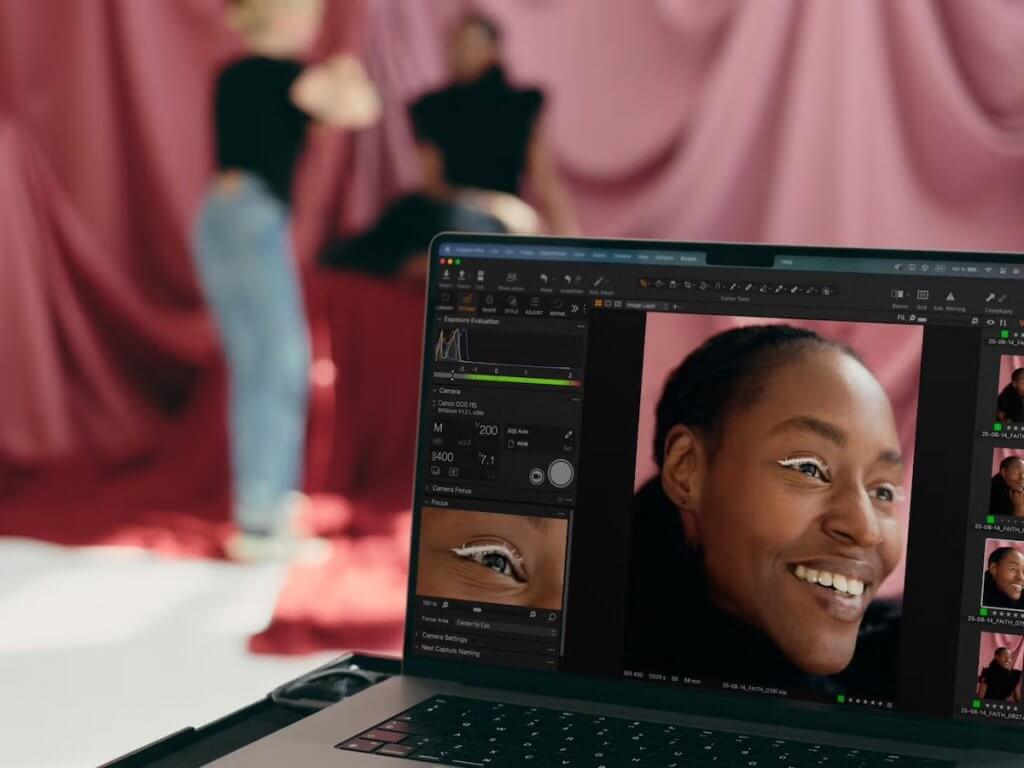
Capture One is still the benchmark for tethered shooting in a studio.
It’s known for reliability. File transfers are fast, the connection remains stable under sustained shooting, and it’s one of the few setups I trust when the shoot can’t afford interruptions.
The ability to mirror images to another device, like an iPad, is also a game changer when you’re working with a team. A creative director or client can review images as they come in, without standing behind your shoulder.
You can also apply adjustments and presets as images come in, which helps when you want clients to see a more finished look during the shoot.
It’s also a very capable editor, so once the shoot is done, I can move straight into selecting and editing without switching tools. That keeps the workflow simple and fast, especially for studio jobs.
Adobe Lightroom
Best for: Simple tethering within an existing workflow
Supported cameras: Canon, Nikon, Sony, Fujifilm, Leica
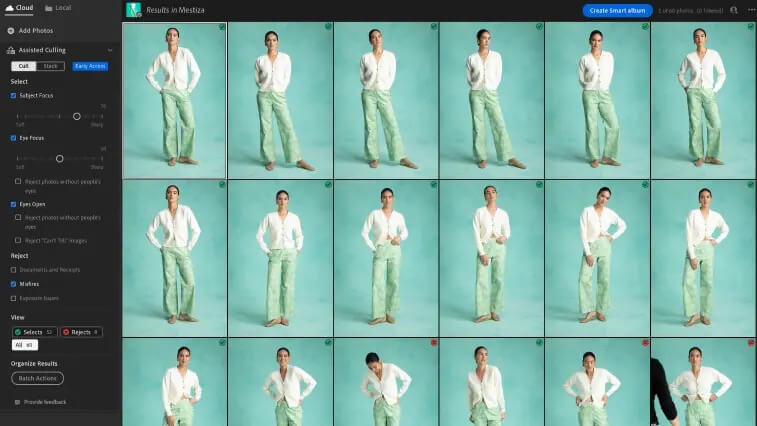
If you’re already using Lightroom, its tethering is usually good enough.
You don’t get the same level of speed or stability as Capture One, but for basic setups, it works. The main advantage is that everything stays in one ecosystem. You shoot, review, and edit in the same place without adding another tool. If you already have presets, folders, or workflows set up, everything continues seamlessly without needing to import or reorganise.
That said, it’s not something I’d rely on for high-pressure shoots. Connections can be less stable, and performance can slow down if you’re shooting continuously.
I see Lightroom tethering more as a convenience than a core workflow. It works best when you want something simple and don’t need the robustness of Capture One.
Evoto
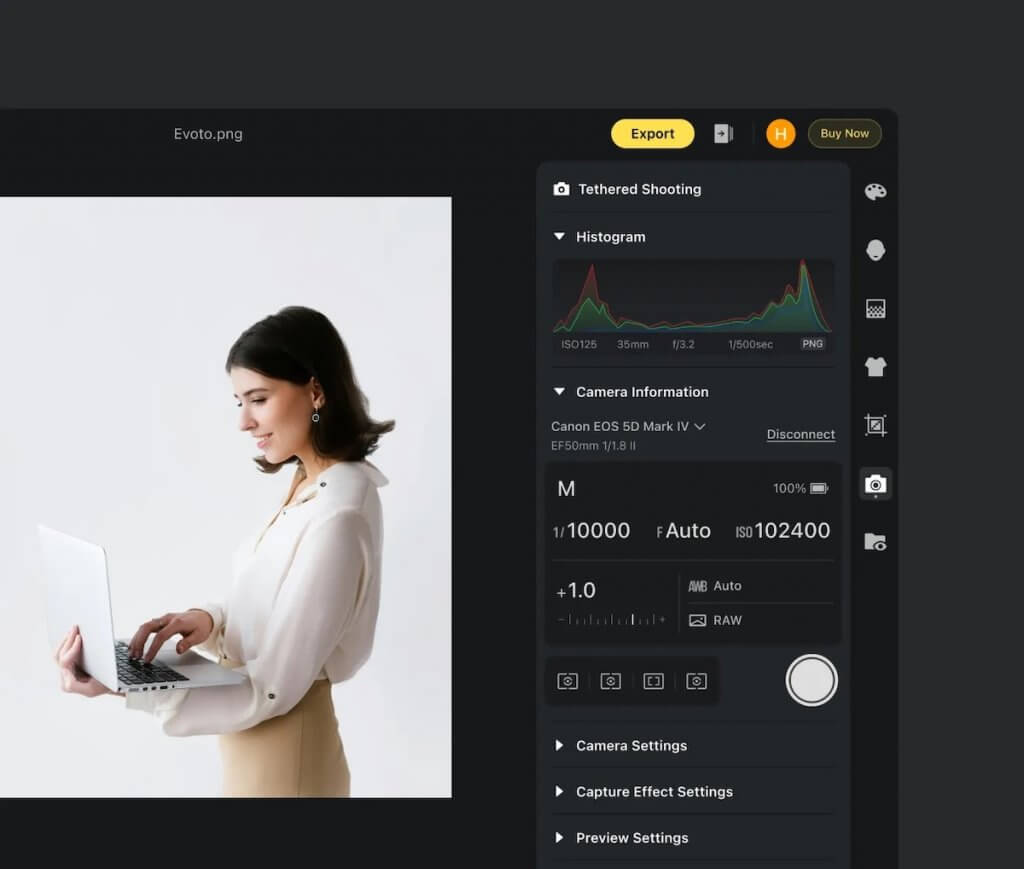
Best for: Tethered shooting with fast AI editing
Supported cameras: Canon, Nikon, Sony, Fujifilm, Panasonic
Evoto is interesting because it serves a different purpose in a tethered workflow.
Like other tethering software, images are imported directly into the software as you shoot. You can then apply AI-based edits almost immediately using presets, which makes it useful for workflows where you need quick turnaround, like studio sessions or headshot booths.
This means you can go from capture to a final image much faster than a traditional editing workflow, without spending time manually retouching each photo.
However, it stops at editing. If you want to share photos instantly, you’ll still need to handle that separately, whether that’s uploading to a gallery, sending files manually, or using another platform.
Evoto works best as part of a wider workflow, rather than a complete solution on its own.
Cascable
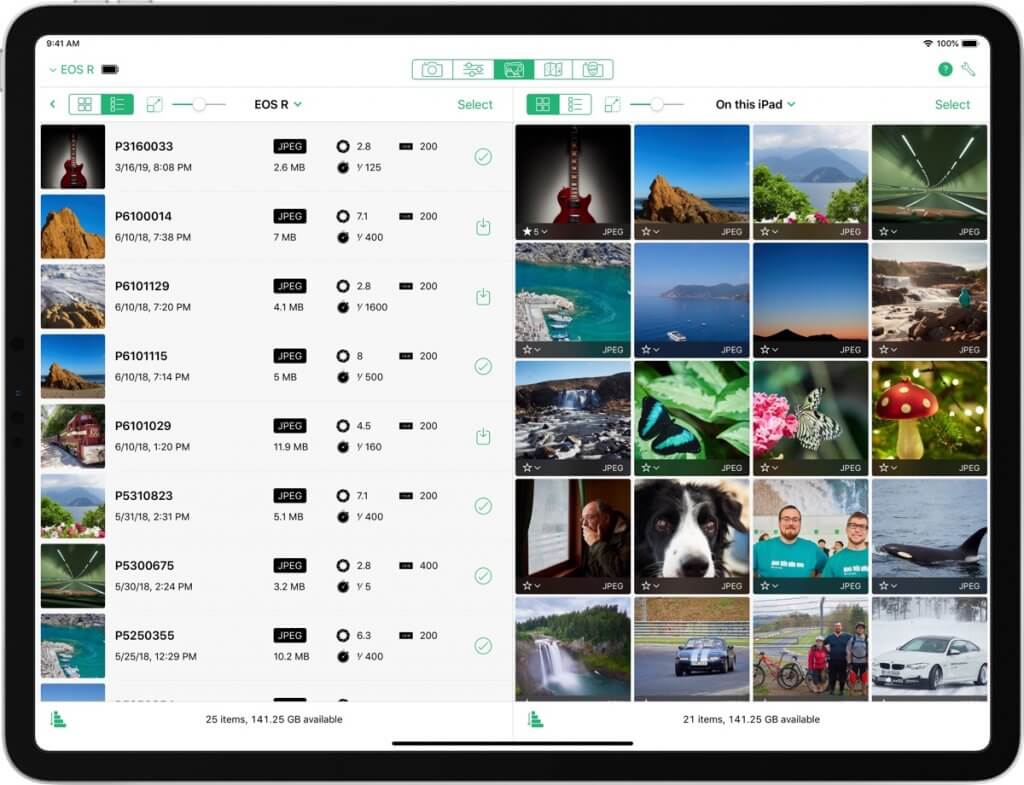
Best for: Remote shooting and camera control from iOS
Supported cameras: Canon, Nikon, Sony, Fujifilm, Panasonic, Phase One, Olympus
Cascable is designed around controlling your camera remotely from an iOS device like an iPhone or iPad.
You get live view, exposure controls, and the ability to trigger the shutter directly from your device. This is useful in setups where the camera isn’t easily accessible, or when you want to avoid physically interacting with it.
The main advantage is that you don’t need to be physically behind the camera, which opens up shooting angles and setups that would otherwise be difficult.
Common use cases include:
- Astrophotography: Triggering long exposures without touching the camera and introducing shake
- Wildlife photography: Controlling the camera from a distance to avoid disturbing subjects
- Overhead or rig-mounted setups: When the camera is placed in hard-to-reach positions
- Solo shooting: Framing and triggering shots yourself without needing an assistant
Honcho

Best for: Instant photo sharing and sales at events
Supported cameras: Canon, Nikon, Sony
Honcho serves a different role compared to traditional tethering software. Instead of sending images to a laptop for review or editing, it’s built around getting photos out as quickly as possible.
The workflow is camera to phone to cloud. As photos are captured, they’re uploaded and made available almost immediately. Guests can access them via QR code and find their photos using face recognition, without having to scroll through an entire gallery.
This is useful for events, weddings, marathons, and headshot booths where speed of delivery matters. Instead of waiting hours or days, people can receive their photos while the event is still happening.
This changes how people experience event photography. Instead of photos being something you receive after the event, they become part of the event itself.
It also handles more than just delivery. Once the photos are uploaded, guests can view, download, and even purchase them, all within the same workflow. You can also control what gets published, so only selected or approved photos are visible to guests.
Quick Comparison
Here’s a summary of how they compare:
| Software | Best For | Workflow | Strengths |
| Capture One | Studio and commercial shoots | Camera → laptop | Stable connection, fast transfers, client review |
| Lightroom | Simple tethering | Camera → laptop | Familiar workflow, all-in-one ecosystem |
| Evoto | Fast AI editing | Camera → laptop | Instant AI edits, consistent results |
| Cascable | Remote camera control | Camera → mobile | Flexible control from iOS device |
| Honcho | Instant delivery at events | Camera → phone → cloud | Automated sharing, face recognition, sales |
Tethering Software for Canon, Nikon, and Sony
So far, we’ve looked at tethering software based on what you’re trying to achieve.
Another factor to consider is the camera system you’re using. Every major brand offers its own tethering apps. These are useful starting points for basic tethering, but they’re more limited in what you can do. Tools like Capture One and Adobe Lightroom offer a more complete workflow for tethering, reviewing, and editing images, while tools like Evoto and Honcho extend the workflow further into AI editing and delivery.
Canon: EOS Utility and Canon Camera Connect
Canon EOS Utility is Canon’s desktop tethering software. It allows you to connect your camera to a computer, operate it remotely, and transfer images as you shoot.
It’s a reliable option for basic tethering, especially if you’re shooting directly into a laptop. You get live view, camera control, and automatic file transfer without needing any additional software.
Canon also offers Camera Connect for mobile workflows. It’s useful when you want to control your camera from your phone and quickly transfer images for sharing, without needing a laptop.
Nikon: NX Tether and SnapBridge
Nikon offers both desktop and mobile options for tethering. NX Tether is the desktop software, allowing you to connect your camera to a computer, adjust settings remotely, and transfer images as you shoot. SnapBridge is Nikon’s mobile app, designed for wireless connectivity and quick transfers to your phone.
NX Tether covers the basics well, with support for live view, camera control, and automatic image transfer. SnapBridge works well when you want to use your phone as a remote control for your camera and quickly transfer photos for sharing on social media.
Sony: Imaging Edge Desktop and Imaging Edge Mobile
Sony’s tethering setup is split between desktop and mobile. Imaging Edge Desktop is the main software for connecting your camera to a computer, allowing you to control settings, use live view, and transfer images as you shoot.
Compared to Canon and Nikon’s tethering software, Imaging Edge Desktop is more fully featured. It also includes basic editing tools, so you can review and make adjustments to your images without leaving the app.
For mobile workflows, Imaging Edge Mobile lets you use your phone as a remote control and transfer images wirelessly. This is useful for quick setups or when you want to review and share photos without a computer.
Conclusion
Tethering isn’t just about reviewing photos on a larger screen. Depending on how you shoot, it can be about speeding up editing, controlling your camera remotely, or delivering photos instantly.
There isn’t a single tool that does all of this well. Once you know what you’re trying to achieve, it becomes much easier to choose the tool that fits the job.